
Haunted House
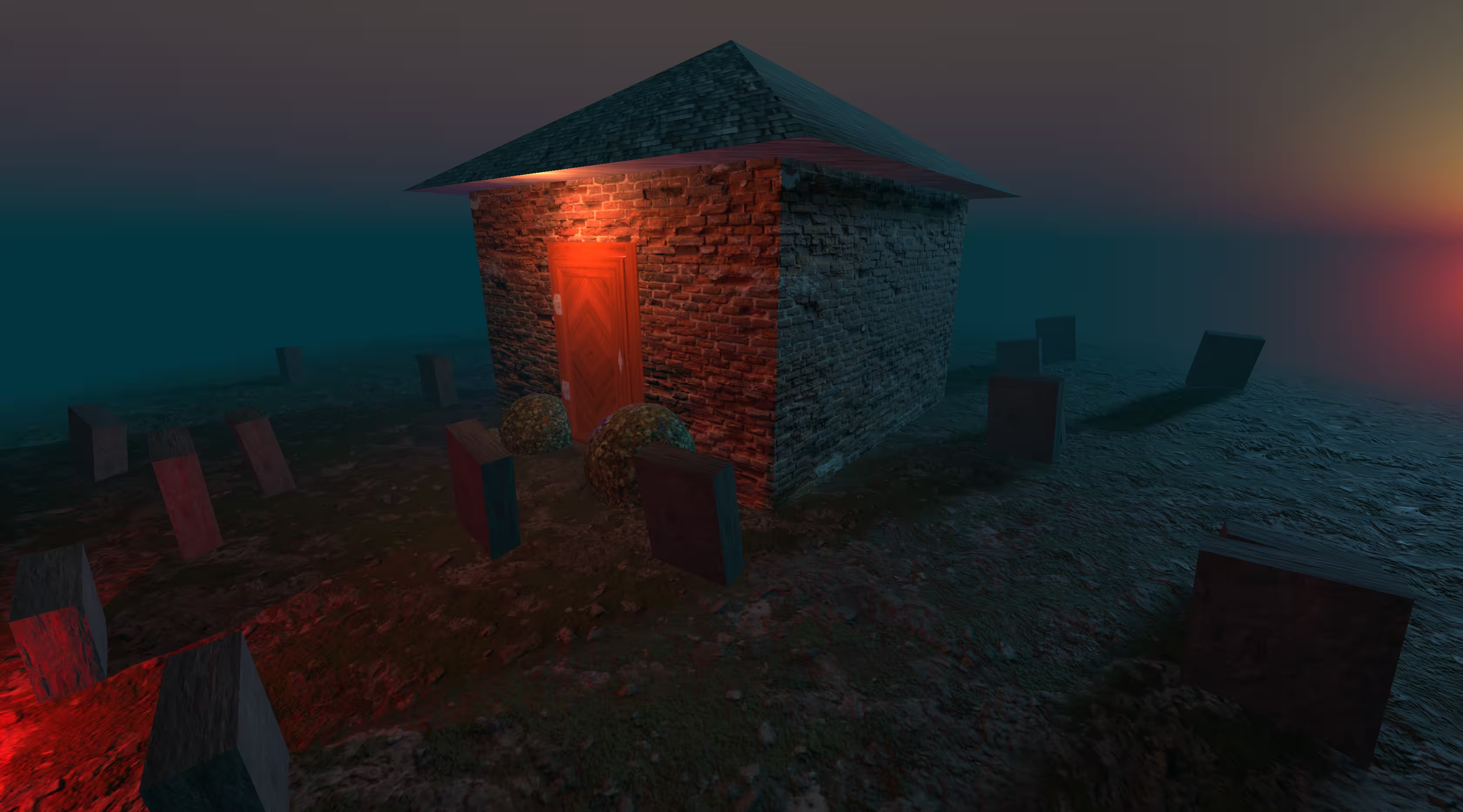
Building the Scene
The foundation of this project is entirely built on core Three.js primitives. I used BoxGeometry for the main walls, a ConeGeometry for the roof, and mapped out a graveyard using a loop to randomly place cylinder and box meshes around the scene. The goal was to establish the physical structure before worrying about how it looked.
Textures & Materials
Once the geometry was set, I moved from basic materials to standard physically based rendering (PBR) materials. This involved mapping a full suite of textures—Color, Ambient Occlusion, Normal, Metalness, Roughness, Alpha, and Displacement—particularly on the complex door mesh to give it depth and realism.
Lighting, Shadows & Atmosphere
A scene like this lives or dies by its lighting. I set up a low-intensity ambient light paired with a directional light to simulate moonlight. The trickiest part was configuring the shadow maps—ensuring the graves cast realistic shadows on the floor without tanking the frame rate. I also added a subtle Fog to the scene to hide the edges of the floor plane and sell the spooky atmosphere.
Optimization
Working with that many high-resolution texture maps gets heavy fast. To keep the initial load time down and ensure the scene runs smoothly on the web, I optimized all the texture files by converting them to the .webp format before deployment.